
PRESIDENTIAL FITNESS School INNOVATION CHALLENGE
$10 million in prizes available
1,700 winning schools
Heart Zones is here to help you apply and Win!
Why Heart Zones is the best solution for this challenge
Three new Ways to Record Fitness Tests
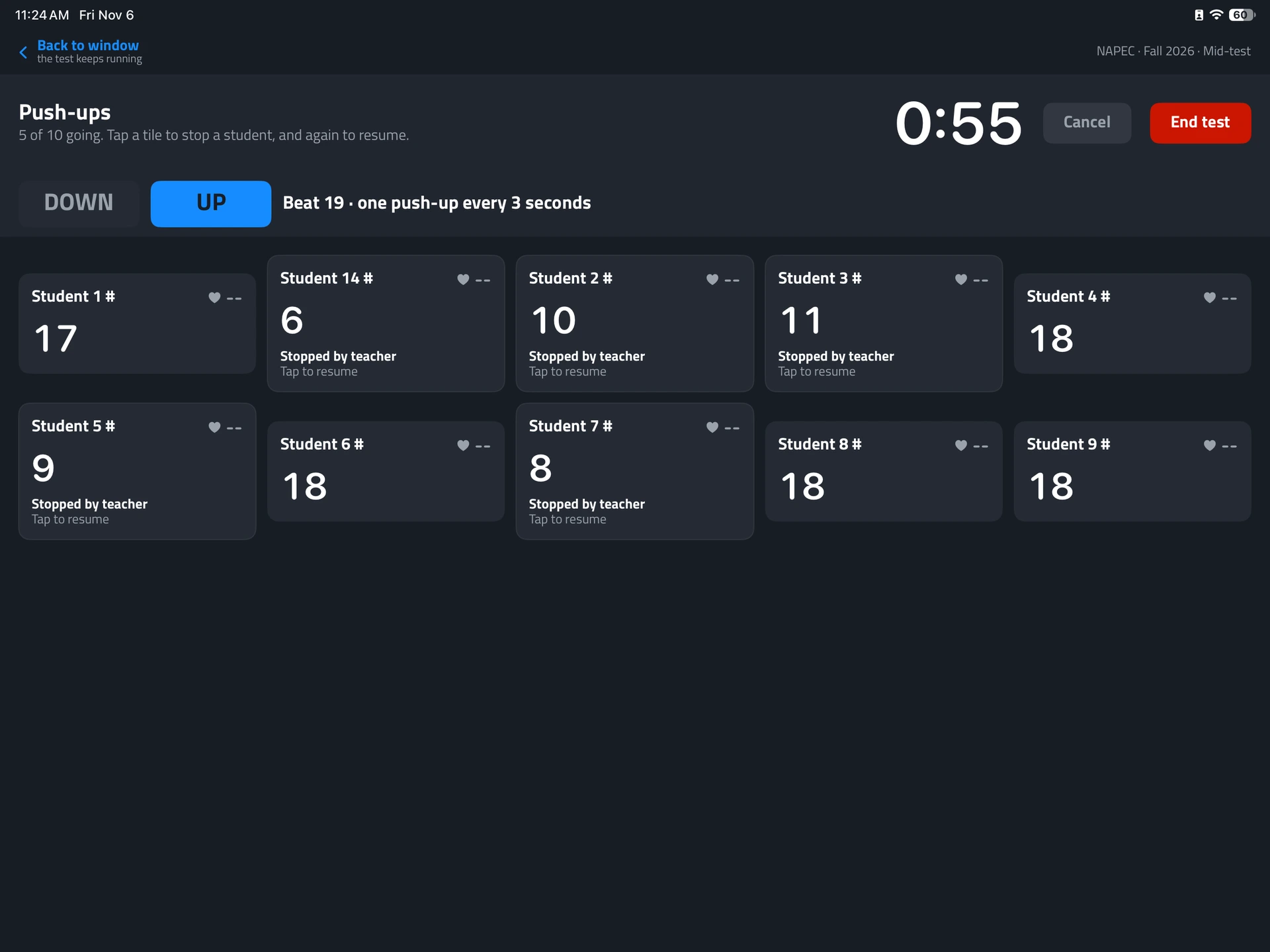
Manual Entry
- With Heart Zones' new Fitness Testing Features, teachers can enter scores for each assesment directly into the Move platform.
- Now available on iPad, Macbook and Chromebook.
- Low-cost starting point; no sensor purchase required for manual entry.
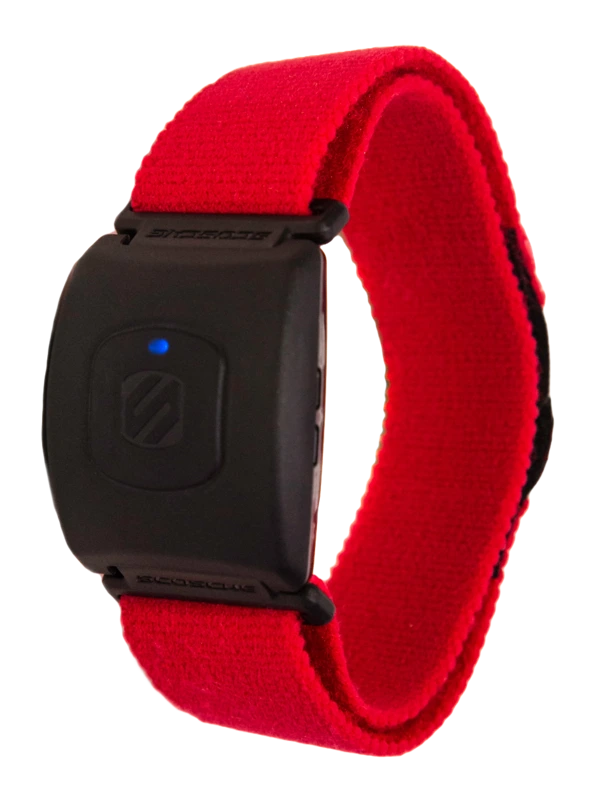
Tap Entry
- Use supported button taps on the heart rate monitors to record test repetitions or scores.
- Ideal for schools already using Blink 3.0+ heart rate monitor.
Automated Entry
- Hands free, automatically capture fitness testing results.
- The brand new Heart Zones "Omni" captures reps/time for each of the Assessments in the Presidential Fitness Test.
- Removes manual paperwork and stores all data in student profile.
How to Apply
Choose your Prize "Track" based on the size of your school/district. Full details can be found at
TRACK 2 | PARTICIPATION & EQUIPMENT
$1,000– $5,000 in Equipment Prizes
For applicants implementing the Presidential Fitness Test, and explaining how equipment supports participation and continued activity.
TRACK 1 | IMPLEMENTATION & INNOVATION
$20,000– $1 Million in Cash Prize
For larger school/district applicants, that have implemented the Presidential Fitness Test at least once prior to applying,
Application Steps
1. Visit www.fitness.gov and find the Presidential Fitness School Innovation Challenge application.
2. Review eligibility, track requirements, award tiers, and official Presidential Fitness Test testing procedures.
3. Gather school/district information, student reach, implementation details, and supporting evidence. 4. Prepare the required narrative and any requested enrollment or participation verification.
5. Submit through the official application portal by February 5, 2027, and save confirmation.
How heart Zones can Help
- New schools can begin with manual testing through a special $1,000 Heart Zones Move license.
- Existing schools can expand with more sensors, USB Bridge trancievers, or additional class packs.
I am...
New to Heart Zones
Connect with the dedicated Heart Zones Territory Manager for your area by filling out this form.
Already a Heart Zones School
- Learn more about our Fitness Testing Software
- Register at www.fitness.gov
- Apply to win the prize money
Want to implement for the whole district
- Apply to win the largest $1,000,000 prize
- Use Heart Zones technology and on site professional development to help transform your physical education programs
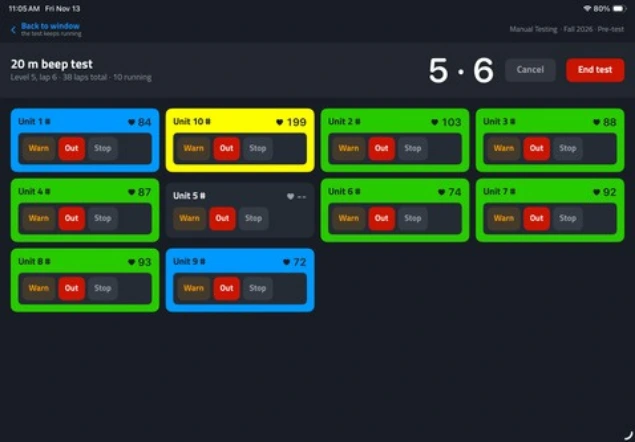
Fitness Testing Display on Chromebook, iPad, PC
Administer & Record Tests: Pacers, Pushups, Plank, Curl-Ups, Mile times etc.
- Three Ways to Enter: Manual, Tap, Automated
- Review & Save: The testing screen provides a convenient place to review and save student results.
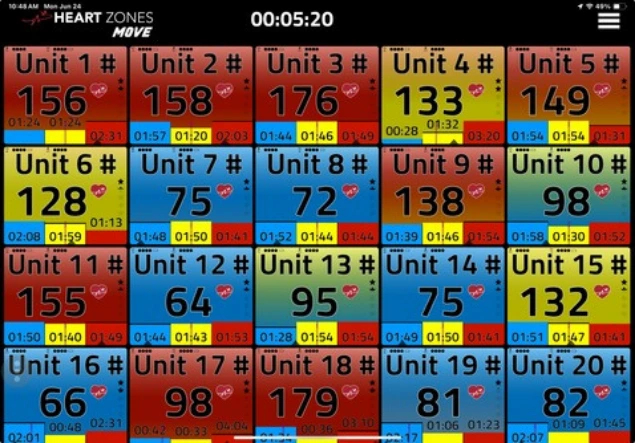
Group Heart Rate Display
- Live Heart Rate Display to Engage and Motivate
- MVPA: Moderate to Vigorous Physicla Activity
- Measurement of Time in Zones
- Enhanced Cardio Safety
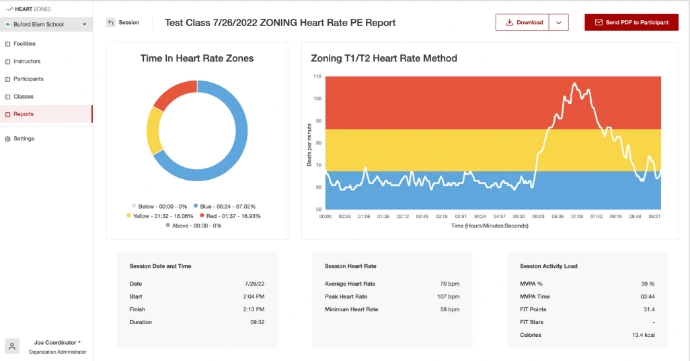
Fitness Testing Reports
The Heart Zones Connect Cloud Portal allows easy access to fitness test reporting
- Pull individual, class or even Date-Range reports to track progress over time.